- Top Pick: Renogy 500A Battery Monitor, Tester with Shunt, Battery Meter Power System
- Best Value: ANCEL BM300 Pro Battery Monitor – 6V/12V/24V Universal with Bluetooth 5.3 & Reinforced Design, Charging & Cranking Tests, Real-Time Alerts for Lead-Acid & Lithium Batteries in RV, Truck, Marine & More
- Premium Choice: LiTime 500A Bluetooth Battery Monitor, 8V-120V Batteries Smart Shunt M8

Lithium Battery Monitoring System: Best Options for Vanlife Power Management
TL;DR Quick Answer
A lithium battery monitoring system (BMS + battery monitor) tells you exactly what your LiFePO4 bank is doing in real time — state of charge, voltage, current in/out, temperature, and remaining capacity. Every serious van build needs both a built-in BMS (inside the battery) and an external shunt-based battery monitor on the bus bar. Budget $40–$200 for a quality external monitor. Without one, you’re flying blind on the most expensive component in your electrical system.
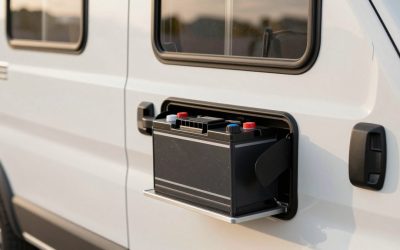
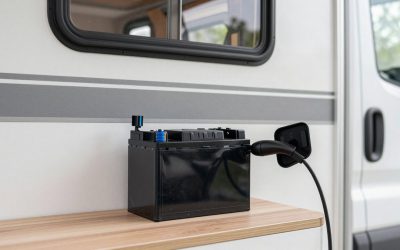
Lithium iron phosphate (LiFePO4) batteries changed vanlife electrical systems dramatically — higher capacity, deeper discharge, longer cycle life. But they also introduced a new challenge: the flat discharge curve. Unlike lead-acid batteries that visibly sag in voltage as they deplete, LiFePO4 stays at 13.2V until it drops off a cliff near 20% state of charge. Without a proper lithium battery monitoring system, you cannot reliably know how much power you have left.
As an Amazon Associate we earn from qualifying purchases at no extra cost to you.



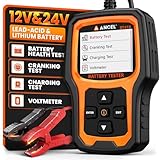
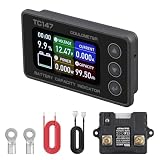
This guide explains how BMS and battery monitors work together, what specs matter, and the best external monitors for van builds in 2026.
🛒 Best Price Today on Amazon
Prime members get fast, free shipping on everything above, plus member-only deals. New members get a 30-day free trial — cancel anytime.
Start 30-Day Prime Free Trial →See Today’s Amazon Deals- Top Picks: Lithium Battery Monitoring Systems
- BMS vs Battery Monitor: Understanding the Difference
- Key Specs for a Van Battery Monitor
- Installing a Battery Monitor: Where the Shunt Goes
- Bluetooth Battery Monitors: The Modern Approach
- Temperature Monitoring: Critical for Cold Weather Vanlife
- FAQ: Lithium Battery Monitoring System
- Frequently Asked Questions
- Related Articles
- Related Guides
Top Picks: Lithium Battery Monitoring Systems
BEST OVERALL — SHUNT MONITOR
500A Battery Monitor with Shunt and Display

WAYSKA Diesel Heater 12V, 5L Tank, Diesel Heater 2KW, Muffler, Diesel Parking Heater with LCD Monitor & Remote Control for Trucks, Trailer, Boat and Motor-Home


As an Amazon Associate we earn from qualifying purchases. Product prices and availability are accurate as of the date/time indicated.
BEST BLUETOOTH — PHONE APP
Bluetooth Battery Monitor with SOC Display


As an Amazon Associate we earn from qualifying purchases. Product prices and availability are accurate as of the date/time indicated.
BEST BUDGET — BASIC DISPLAY
Digital Battery Voltage Meter with SOC Indicator

Ivation Portable Camping Shower | Compact Handheld & Hands-Free Rechargeable Outdoor Shower Head & Cleaning System w/ 3.7V Pump, 6-Ft Hose, Bidet Head, Removable Filter, Multiuse Hook & USB Cable


As an Amazon Associate we earn from qualifying purchases. Product prices and availability are accurate as of the date/time indicated.
BMS vs Battery Monitor: Understanding the Difference
See also: How Long Will a 100Ah Battery Last in a Van? Runtime Math Explained • Best Level 2 EV Chargers for Home
These two terms are often confused but serve different purposes:
Battery Management System (BMS) is a protection circuit built into or attached to the battery itself. It monitors cell voltages internally and disconnects the battery if any cell goes outside safe limits — over-voltage during charging, under-voltage during discharge, or over-temperature. The BMS is the safety net that prevents damage. It does not display data to you; it acts automatically in the background.
Battery Monitor (coulomb counter) is an external device with a shunt resistor installed on the negative bus bar. It measures every amp flowing in and out of the battery over time, calculating true state of charge (SOC) with high accuracy. This is what displays “62% remaining, 47A draw, 14.2V” on a screen you can actually read while living in the van.
You need both. The built-in BMS protects the battery; the external monitor informs your decisions about power usage, solar production, and when to conserve.
Key Specs for a Van Battery Monitor
| Spec | Minimum | Recommended | Notes |
|---|---|---|---|
| Shunt rating | 200A | 500A | match to your max inverter draw |
| Voltage range | 8–60V | 8–100V | covers 12V, 24V, and 48V systems |
| SOC accuracy | ±5% | ±1% | coulomb counting vs simple voltage |
| Temperature sensor | optional | included | critical for LiFePO4 cold weather charging |
| Display | basic LCD | backlit color or Bluetooth app | visibility in varied lighting |
| Alarm outputs | none | low voltage alarm | alerts before battery hits cutoff |
The shunt rating is the most commonly undersized spec. A 200A shunt is adequate for small systems, but a 3000W inverter draws 250A at 12V. If your shunt is undersized for peak draw, readings will be inaccurate and the shunt can overheat. Always size the shunt at 125% of your maximum anticipated current draw.
Installing a Battery Monitor: Where the Shunt Goes
The shunt installs on the negative cable, between the battery negative terminal and the negative bus bar. All negative current in the system flows through the shunt — this is how it counts every amp in and out. Critical installation rules:
- Only the battery negative connects to one side of the shunt. All other negatives (inverter, loads, chassis ground) connect to the opposite side. Any negative bypassing the shunt creates counting errors.
- The shunt sense wires use very small gauge wire (typically 22–24 AWG) — these carry millivolt signals, not current. Route them away from high-current cables to minimize interference.
- After installation, perform a full charge cycle to synchronize the SOC reading. Most monitors reset to 100% at full charge voltage (14.6V for LiFePO4 on a full absorption charge).
- Set battery capacity in amp-hours in the monitor’s settings to match your actual bank size. A 100Ah LiFePO4 with 80% usable capacity should be set to 80Ah for accurate remaining time calculations.
For a complete electrical system, pair your battery monitor with a quality MPPT solar charge controller that also tracks solar input separately. The combination gives you full visibility — how fast you’re charging, how fast you’re spending, and exactly how much you have left.
Bluetooth Battery Monitors: The Modern Approach
Bluetooth-enabled battery monitors have become popular for van builds because they eliminate the need for a dedicated panel display. A $50–$80 Bluetooth shunt monitor pairs with a free smartphone app that shows detailed historical data — charge/discharge graphs, daily energy summaries, and configurable alarms.
As an Amazon Associate we earn from qualifying purchases. Product prices and availability are accurate as of the date/time indicated.
The trade-off: you need your phone nearby to check battery status. For vanlifers who always have their phone in hand, this is a non-issue. For those who prefer a always-on display — visible from the bed or driver’s seat without picking up a phone — a wired display monitor is more practical.
Some van builders install both: a Bluetooth monitor for detailed data and a simple voltage display panel mounted on the control panel for at-a-glance checking. Total cost for this combination is under $100 and gives the best of both approaches.
Temperature Monitoring: Critical for Cold Weather Vanlife
LiFePO4 batteries cannot be charged below 32°F (0°C) without damaging the cells — lithium plating occurs at low temperatures and permanently reduces capacity. Yet many van electrical systems charge automatically via solar or alternator regardless of battery temperature.
A battery monitor with a temperature sensor connected to the battery surface solves this. Configure the low-temperature alarm at 35°F and use it as a signal to either warm the battery before charging or disable the charge source manually. Some advanced BMS units handle this automatically, but having the temperature reading visible on your monitor panel provides an additional layer of awareness.


As an Amazon Associate we earn from qualifying purchases. Product prices and availability are accurate as of the date/time indicated.
For winter vanlife specifically, temperature monitoring is not optional — it’s as important as SOC monitoring. Pair this with proper battery insulation and a dedicated battery heating pad if you regularly camp in sub-freezing temperatures.
FAQ: Lithium Battery Monitoring System
Do I need a battery monitor if my lithium battery has a built-in BMS?
Yes. The built-in BMS protects the battery from damage but does not display usable information. You cannot read state of charge, current draw, or remaining capacity from a standard BMS. An external battery monitor with a shunt is what gives you actionable data for managing your daily power budget. Both serve different purposes and complement each other — the BMS is protection, the monitor is information.
Why is my battery monitor SOC reading inaccurate?
Common causes: the battery capacity setting doesn’t match your actual bank (use 80% of rated capacity for LiFePO4 usable range), the shunt has a bypass — meaning some negative current isn’t flowing through the shunt, or the monitor hasn’t been synchronized by completing a full charge cycle to 100%. Check that all negative conductors in your system route through the shunt, re-enter the correct capacity in settings, and run a full charge cycle to resynchronize.
What shunt size should I use for my van?
Calculate your maximum possible current draw: a 2000W inverter at 12V draws 167A peak. A 3000W inverter draws 250A. Add any other large simultaneous loads. Size your shunt to 125% of that maximum — so a 3000W system needs a 300A+ shunt minimum, ideally 500A for headroom and accuracy. Using an undersized shunt causes accuracy errors and potential overheating at peak load.
Can I monitor my van battery remotely when I’m away from it?
Yes, with the right hardware. Bluetooth monitors work within 30–50 feet. For remote monitoring over cellular, you need a monitor with WiFi or cellular connectivity, or a third-party device like a Victron Cerbo GX paired with the VRM portal. This lets you check battery status, solar production, and receive low-battery alerts from anywhere with cell service — useful for leaving the van parked with solar charging while you’re out hiking.
How does a battery monitor handle multiple batteries wired in parallel?
The shunt measures total system current, not individual battery current. For parallel batteries, one shunt on the combined negative bus covers the entire bank — set the total combined capacity in the monitor settings (two 100Ah batteries = 200Ah total). Individual battery performance within the parallel bank is handled by each battery’s internal BMS. The external monitor sees and reports on the bank as a whole, which is the relevant metric for daily usage planning.
Frequently Asked Questions
Why do I need a battery monitor if the BMS already reports state of charge?
A BMS protects the cells but estimates charge from voltage, which is nearly flat across the middle of the LiFePO4 curve and therefore unreliable. A shunt-based monitor counts every amp-hour in and out, giving true state of charge, time remaining and consumption history you can actually plan a day around.
Where does the shunt go?
On the negative side, between the battery negative terminal and every other negative connection in the van, with nothing else attached to the battery post. If any load bypasses the shunt, the monitor silently under-reports usage. The small sense wire needs its own inline fuse at the positive terminal.
How much power does the monitor itself use?
Very little, typically 10-30 milliamps for the shunt and display, or well under 1Ah per day. Bluetooth dongles add a similar tiny amount. That is negligible compared to a fridge, but worth switching off at the disconnect if the van is stored unused for several months.
Is a Bluetooth-only monitor good enough or do I need a display?
Bluetooth apps are cheaper and give richer history, but they fail when your phone is dead or the app updates badly. A panel display gives an at-a-glance number and works without a phone. Many builders fit both, or use a system with a central display that also shows solar and inverter data.
Does the monitor read correctly in cold weather?
Amp-hour counting stays accurate, but usable capacity shrinks in the cold, so a battery reading 60 percent at 20F genuinely holds less energy than at 70F. Some monitors apply a temperature-compensated Peukert factor. Also watch for the BMS blocking charge below freezing, which shows as solar producing but state of charge not rising.