Last updated: September 12, 2026
⚡ Key Takeaways
As an Amazon Associate we earn from qualifying purchases at no extra cost to you.



- Power, water, and showers all have well-worn solutions.
- Cellular is the backbone of van life internet.
- Satellite internet has transformed remote connectivity.
- Free Wi-Fi is everywhere if you know where to look: cafes, libraries, fast-food restaurants, breweries, visitor centers, and many campgrounds and RV parks.
Sorting out your van life internet options is non-negotiable if you plan to work remotely, navigate to new spots, or simply stay in touch from the road. The freedom of van life depends on staying connected, and the good news is that mobile internet has never been better. Between cellular data, satellite service, and public Wi-Fi, you can build a setup that keeps you online almost anywhere in the country. This guide breaks down every option, what each costs, and how to combine them into a reliable connection that won’t drop during your next video call.
🛒 Best Price Today on Amazon
Prime members get fast, free shipping on everything above, plus member-only deals. New members get a 30-day free trial — cancel anytime.
- Why Internet Is the Hardest Van Life Problem to Solve
- Option 1: Cellular Data (The Workhorse)
- Option 2: Satellite Internet (Starlink)
- Option 3: Public and Campground Wi-Fi
- Boosting a Weak Signal
- Comparison Table: Van Life Internet Options
- Powering Your Connectivity Gear
- Building Your Connectivity Stack
- Saving Data and Reducing Your Bill
- Coverage Maps and Planning Your Route
- Top-Rated Picks
- Frequently Asked Questions
- Conclusion
- Related Articles
- Related Guides
Why Internet Is the Hardest Van Life Problem to Solve
Power, water, and showers all have well-worn solutions. Internet is trickier because coverage is wildly uneven—a campsite that’s perfect in every other way might have zero bars. Remote workers in particular can’t risk a dead connection during a deadline. The solution isn’t one magic device; it’s redundancy. Experienced nomads carry two or three ways to get online so that when one fails, another picks up the slack. Build redundancy from the start and you’ll never be stranded offline.
Option 1: Cellular Data (The Workhorse)
See also: Granblue Fantasy GBF Tier List: Best Characters • Frostwyrm to Avalanchewyrm Guide: Frost Evolution Event
Cellular is the backbone of van life internet. Modern phones and dedicated hotspots tap into 4G LTE and 5G networks that now blanket most populated areas and many remote ones. The two main ways to use cellular data are:
- Phone hotspot: Tether your laptop to your phone’s data plan. Simple and free if your plan includes hotspot data, though many plans throttle or cap it.
- Dedicated mobile hotspot: A standalone device (like a Netgear Nighthawk or a carrier-branded jetpack) with its own data plan, often with higher hotspot allowances and better performance for multiple devices.
The pro move is carrying SIMs or plans from two different carriers—typically Verizon plus T-Mobile or AT&T—so that wherever one is weak, the other covers you. This dual-carrier approach is the most reliable cellular strategy.
Option 2: Satellite Internet (Starlink)
Satellite internet has transformed remote connectivity. Starlink’s roam plans let you point a compact dish at the sky and get genuinely fast, low-latency internet in places with no cell signal at all—deep forests, remote deserts, high mountains. For remote workers who boondock far from towns, it’s a game-changer. The trade-offs are cost (the hardware plus a monthly plan), power draw (the dish needs a steady supply of watts), and the need for a clear view of the sky. Many full-timers run Starlink as their primary connection and cellular as backup.
Option 3: Public and Campground Wi-Fi
Free Wi-Fi is everywhere if you know where to look: cafes, libraries, fast-food restaurants, breweries, visitor centers, and many campgrounds and RV parks. It’s perfect for big downloads, software updates, and offloading data-heavy tasks without burning your cellular allowance. The downsides are unpredictable speeds, security risks on open networks, and the need to be parked nearby. A Wi-Fi extender or directional antenna can pull in a distant campground signal from your van. Treat public Wi-Fi as a bonus, not your main connection, and always use a VPN on open networks.
Boosting a Weak Signal
When you’re on the edge of coverage, a cellular signal booster (such as a weBoost) can mean the difference between one bar and a usable connection. A booster captures the faint outside signal with an exterior antenna, amplifies it, and rebroadcasts it inside the van. It won’t create signal where there’s none, but it reliably strengthens marginal coverage. Pair a booster with a roof-mounted antenna and you’ll squeeze a working connection out of spots where your phone alone shows nothing.
Comparison Table: Van Life Internet Options
| Option | Typical Cost | Coverage | Speed | Power Draw | Best For |
|---|---|---|---|---|---|
| Phone hotspot | $0–$40/mo extra | Cellular areas | Good | Minimal | Light use, backup |
| Dedicated hotspot | $50–$120/mo | Cellular areas | Good–Fast | Low | Remote work |
| Dual-carrier setup | $80–$160/mo | Broadest cellular | Good–Fast | Low | Reliability |
| Starlink Roam | $165+/mo + hardware | Nearly anywhere | Fast | High | Deep off-grid work |
| Public Wi-Fi | Free | Towns / campgrounds | Varies | None | Downloads, backup |
| Signal booster | $300–$500 (one-time) | Extends cellular | Improves weak signal | Low | Marginal coverage |
Powering Your Connectivity Gear
Internet equipment runs constantly, so it needs to fit into your power budget. Cellular hotspots and boosters draw very little and run for days on a modest battery. Starlink is the hungry one—its dish can pull 50–75 watts continuously, which adds up fast over a workday. To keep a satellite dish and your laptop running off-grid, you’ll want substantial battery capacity and ideally solar to recharge; a high-capacity portable power station is the simplest way to power a full connectivity stack without a permanent electrical build. Plan your power and internet systems together, because the best connection in the world is useless if your battery dies before lunch.
Building Your Connectivity Stack
The ideal setup depends on how you use the internet. A casual traveler who mostly checks email and navigates can get by on a single good cellular plan with hotspot. A remote worker on daily video calls should run a dual-carrier cellular setup as the foundation, add a signal booster for weak areas, and lean on public Wi-Fi for downloads. Those who boondock far from any tower for weeks at a time will want Starlink as primary with cellular backup. Match the investment to your actual dependence on being online, and don’t over-buy before you know your travel pattern.
Saving Data and Reducing Your Bill
Data costs add up fast, so smart habits stretch every gigabyte. Download maps, music, podcasts, and videos over free Wi-Fi before you head into remote areas, so you’re not streaming on cellular. Set your devices and apps to update only on Wi-Fi, and disable auto-playing video and high-resolution streaming on the road. Cloud-based work tools are data-hungry—work offline and sync when you hit Wi-Fi where you can. Monitoring your usage in your carrier’s app helps you spot what’s eating your plan. With a little discipline, many remote workers stay comfortably within a 100–150 GB plan instead of paying for the most expensive unlimited tier.
Coverage Maps and Planning Your Route
The smartest thing you can do for reliable internet is plan around coverage before you arrive. Carrier coverage maps give a rough idea, but crowd-sourced tools paint a far more accurate picture of real-world signal at specific campsites and boondocking spots. Apps and websites that aggregate user reports let you check signal strength for each carrier at a location before you commit to staying there. Campground review sites often note Wi-Fi and cell quality in their reviews. If you have an important call or deadline, scout your spot’s connectivity in advance and have a nearby backup location in mind. A few minutes of planning prevents the panic of discovering zero bars right before a meeting.
Top-Rated Picks




| Product | Brand | Rating | Reviews | Price |
|---|---|---|---|---|
| Anker Soundcore 2 Portable Bluetooth Speaker with Ste… | — | ★ 4.6 | 150.7k | $29.98 |
| Amazon Basics Bed Frame with Storage, Foldable Metal … | AmazonBasics | ★ 4.7 | 106.5k | $104.99 |
| GCI Outdoor Freestyle Rocker Camping Chair | Portable… | GCIOUTDOOR | ★ 4.8 | 45.9k | $80.00 |
| GCI Outdoor Freestyle Rocker Camping Chair | Portable… | GCIOUTDOOR | ★ 4.8 | 45.9k | $80.00 |
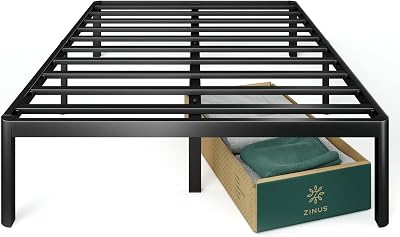
| ZINUS Van 16 Inch Metal Platform Bed Frame / Steel Sl… | — | ★ 4.5 | 70.6k | $87.44 |
Frequently Asked Questions
How do van lifers get internet?
Most rely on cellular data through a phone hotspot or a dedicated mobile hotspot, often using two carriers for broader coverage. Many add Starlink satellite internet for remote areas and use free public Wi-Fi at cafes and campgrounds for large downloads.
Is Starlink worth it for van life?
For remote workers who frequently camp far from cell coverage, yes—Starlink delivers fast internet almost anywhere with a clear view of the sky. If you mostly stay near towns or use the internet lightly, a good dual-carrier cellular plan is cheaper and uses far less power.
How much data do you need for van life?
Light users (email, browsing, navigation) get by on 20–50 GB per month. Remote workers on video calls and cloud apps often use 100–250 GB or more. Streaming pushes it higher. Choose plans with high or unlimited hotspot data if you work online.
Can you work remotely from a van?
Absolutely—thousands of people do. The key is redundant internet: a dual-carrier cellular setup plus a signal booster, and often Starlink for off-grid spots. Plan your route around coverage when you have important calls, and always have a backup connection ready.
Does a cell booster really help in a van?
Yes, when you have a weak existing signal. A booster amplifies marginal coverage from one barely-usable bar into a workable connection. It cannot create signal where there is absolutely none, so it complements—rather than replaces—a good cellular plan.
Conclusion
Staying connected in a van comes down to redundancy and matching your setup to how much you actually depend on the internet. Build on a strong cellular foundation, ideally across two carriers, add a signal booster for weak spots, and tap free public Wi-Fi for heavy downloads. If your work or lifestyle takes you deep off-grid, Starlink fills the gaps that cell towers can’t. Layer these tools together, power them properly, and you’ll stay online from the city to the most remote campsite on the map.
Related: July 2026 Road-Trip Essentials: Stay Cool and Powered Off-Grid