Last updated: October 11, 2026
The best laser projector deal for a van or compact room in 2026 is the XGIMI HORIZON 20 4K RGB triple-laser projector. It pairs a true 4K picture with 3200 ISO lumens, an auto-setup system that survives crooked van walls, and a power draw that a 200Ah lithium bank can absorb for a full double feature. It suits full-timers who park somewhere with a decent inverter and want a 90 to 120-inch cinema on the back doors. If your power budget is tighter, the NEBULA Capsule 3 Laser runs on its own battery and needs no inverter at all, while the AWOL VISION LTV-3000 Pro is the premium answer for anyone who can dedicate a permanent wall to an ultra short throw rig. The rest of this guide breaks down brightness, throw distance, resolution, auto setup, fan noise, power draw, and realistic screen sizes for small interiors, with a full section on every model worth considering.
- Top 3 Picks
- Quick Comparison
- How We Chose
- 1. ViewSonic LS740HD – Best for Bright Rooms and Daylight Viewing
- 2. NEBULA Capsule 3 Laser – Best for Battery-Powered Van Nights
- 3. XGIMI HORIZON 20 – Best for Big-Screen 4K in a Van
- 4. JMGO N1S 4K – Best for Fast Setup in Tight Spaces
- 5. AWOL VISION LTV-3000 Pro – Best for a Permanent Cinema Wall
- 6. Optoma UHZ36 – Best for a Fixed 4K Home Theater Install
- 7. Epson Pro EX11000 – Best for Wireless Presenting and Multi-Device Use
Top 3 Picks
Best overall: XGIMI HORIZON 20 4K RGB Triple Laser. A 4K triple-laser engine at 3200 ISO lumens is more than a van interior needs at 100 inches, and the auto keystone, autofocus and screen-fit tools mean you can set up on a sloping campsite without a spirit level. The trade-off is a 150 to 200W class power draw, so it wants a real inverter and a healthy battery bank.
Best budget: NEBULA Capsule 3 Laser. Roughly the size of a soda can, with a built-in battery that covers a full movie on its own, Google TV built in, and no inverter requirement whatsoever. Brightness is in the 300 ANSI lumen class, which is exactly right for a 40 to 60-inch picture after dark inside a van.
Best premium: AWOL VISION LTV-3000 Pro. An ultra short throw triple-laser 4K unit with Dolby Vision, Dolby Atmos support and HDR10+ that throws a 100-inch image from roughly two feet of wall clearance. It is the closest thing to a permanent home cinema you can build into a rig, and it is priced accordingly.
Quick Comparison
See also: Can You Listen to Apple Music Offline? • Top Radeon Graphics Deals
Every model below is a real, currently listed product. Brightness figures come from the listings where they are stated; where a listing does not publish a lumen figure, the table describes the spec class instead of guessing. Power draw is a class-typical estimate, not a measurement, and should be checked against your own inverter and battery math. Price tiers are bands, not prices, because listings move daily.
| Product | Best for | Resolution | Brightness | Throw & screen size | Auto setup | Est. power draw | Price tier |
|---|---|---|---|---|---|---|---|
| ViewSonic LS740HD | Bright rooms and daylight viewing | 1080p Full HD | 5500 lumens | Standard throw, 100″ from roughly 9-11 ft | Keystone and focus, largely manual | 300-360 W | Mid-range |
| NEBULA Capsule 3 Laser | Battery-powered nights, zero wiring | 1080p | ~300 ANSI lumen class | Short-ish throw, 40-60″ from 3-5 ft | Auto keystone, autofocus, screen fit | 30-45 W | Budget |
| XGIMI HORIZON 20 | Big-screen 4K in a van | 4K UHD | 3200 ISO lumens | Standard throw, 100″ from roughly 8-10 ft | Full auto: keystone, focus, screen fit, obstacle avoidance | 150-200 W | Premium |
| JMGO N1S 4K | Fast setup in tight or awkward spaces | 4K UHD | 1700 ISO lumens | Standard throw, 80-100″ from 7-9 ft | Gimbal auto keystone, autofocus, screen fit | 100-130 W | Budget |
| AWOL VISION LTV-3000 Pro | A permanent cinema wall | 4K UHD | ~3000 lumen UST class | Ultra short throw, 100″ from roughly 20-24 in | Auto focus and alignment tools | 250-320 W | Premium |
| Optoma UHZ36 | A fixed 4K home theater install | 4K UHD | Bright 4K laser class (~3000-4000 lm) | Standard throw, 100″ from roughly 9-13 ft | Manual zoom, focus and keystone | 200-260 W | Mid-range |
| Epson Pro EX11000 | Wireless presenting and multi-device use | 1080p Full HD | Bright 3LCD class (~4000+ lm) | Standard throw, 100″ from roughly 9-12 ft | Manual with wireless casting | 250-330 W | Premium |
| Hisense M2 Pro | Flexible 65-200″ lifestyle viewing | 4K UHD | 1300 lumens | Standard throw, 65-200″ range | Auto keystone, autofocus, screen fit | 90-130 W | Mid-range |
| HoneyFair Green Laser Line | Halloween and party ambience | Not a video projector | Line-generator laser, not rated in lumens | Fixed line pattern, outdoor decor use | Not applicable | 5-15 W | Budget |
| Optoma GT2400HDR | Gaming and golf simulation | 1080p Full HD | 4200 lumens | Short throw, 100″ from roughly 3.5-4.5 ft | Manual with low input lag modes | 250-300 W | Premium |
| ViewSonic LS740W | Wide-format and signage use | WXGA 1280×800 | 5500 lumens | Standard throw, wide 16:10 framing | Keystone and focus, largely manual | 300-360 W | Mid-range |
| XGIMI MoGo 4 Laser | Grab-and-go portable movie nights | 1080p | 550 ISO lumens | Short throw, 60-80″ from 4-6 ft | Auto keystone, autofocus, screen fit | 45-65 W | Budget |
How We Chose
Selection started with the constraints that actually bite in a van or a small room: how much wall distance you have, how much DC power you can spare, and how much ambient light the space lets in. Brightness was weighed against screen size using the standard foot-lambert relationship, so a 300-lumen portable and a 5500-lumen install unit were judged against the picture sizes each can realistically light rather than against each other on a single number. Throw ratio determined whether a model made the shortlist at all, since a standard-throw unit that needs eleven feet of depth is useless in a twenty-foot van build.
Resolution was assessed against viewing distance rather than as a checkbox, because 4K only earns its keep once you pass roughly 80 inches of diagonal in a space where you sit six to ten feet back. Auto setup features were graded on how much correction they apply without user input, since a projector sitting on a bed or a shelf is never square to the wall. Fan noise and power draw were treated as ownership costs, and every pick had to have a clear upgrade path or a defensible reason to stop there. No model was handled, benchmarked or owned for this roundup; everything here is drawn from published specifications, category norms and the physics of projection.
1. ViewSonic LS740HD – Best for Bright Rooms and Daylight Viewing

ViewSonic LS740HD 1080P Laser Projector, 5500 Lumens, Full HD Home Theater
Included for 'Best Laser Projector Deals' because the listing specifies 5500 Lumens and Full HD Home Theater, details this guide uses to compare options.
View on AmazonThe LS740HD is the pick for anyone who wants a picture that survives a lit space. It is a 1080p laser projector rated at 5500 lumens, which is an enormous amount of light for a van or a small room and roughly ten times what a compact portable delivers. That headroom matters if your viewing time is early evening rather than midnight, if you park under a bright awning, or if you project onto a wall beside a window you cannot black out. It suits van lifers who treat the projector as a shared screen for guests and who are willing to pay for the electricity that brightness demands.
Key specs
- Resolution: 1080p Full HD
- Brightness: 5500 lumens (listing figure)
- Light source: Laser phosphor, no lamp replacement
- Throw: standard throw with zoom; a 100-inch picture lands roughly 9 to 11 feet back
- Setup: keystone correction and focus, mostly manual adjustments
- Power: roughly 300 to 360W class, which needs a real inverter
- Best screen sizes: 90 to 150 inches in a room, 100 to 120 inches typical for a van exterior wall
The core strength is raw output. At 5500 lumens, a 100-inch 16:9 image works out to something in the region of 180 foot-lamberts before screen losses, which is far beyond the 16 to 30 foot-lambert target for a dark room. Even with a grey screen and a screen gain below 1.0, you keep a picture that holds up against meaningful ambient light. That is the whole reason to buy this unit instead of a compact 4K lifestyle projector. The laser light source also means no lamps to buy and no gradual dimming cliff, and the 1080p panel keeps the price band in the mid-range rather than premium.
The counterweight is power. A 300 to 360W draw for a two-hour film is roughly 600 to 720 watt-hours, which is a third of a typical 200Ah 12V lithium bank before you count inverter losses. In practice that means running the engine, running a generator, or watching on a night when the solar forecast is good. The standard throw ratio also wants depth, so it suits a build with an open floor plan or an exterior screen setup rather than a short van where you sit close to the wall.
Pros
- Very high brightness for the price tier, enough to fight real ambient light
- Laser light source with no consumable lamp
- 1080p at large screen sizes looks clean from typical van viewing distances
- Straightforward, predictable standard-throw geometry that is easy to plan around
Cons
- High power draw for an off-grid electrical system
- Manual keystone and focus are slower to dial in on an uneven wall
- Larger and heavier than any portable in this list
- 1080p rather than 4K, which shows at 120 inches and above
Compared with the nearest alternative: the Optoma UHZ36 sits in the same mid-range tier but pushes 4K resolution instead of 1080p, trading some brightness for pixel density. If you watch at 90 to 110 inches and mostly after dark, the UHZ36 is the better picture. If your viewing happens with lights on or outdoors, the LS740HD’s extra output wins. Against the ViewSonic LS740W, the difference is aspect ratio rather than performance.
2. NEBULA Capsule 3 Laser – Best for Battery-Powered Van Nights

NEBULA Capsule 3 Laser Outdoor Portable Mini Smart TV Projector
Included for 'Best Laser Projector Deals' as a relevant option in this category; details come from the product listing.
View on AmazonThe Capsule 3 Laser is the model that makes the least demand on your van. It is a portable mini smart projector with a built-in battery, a cylindrical body roughly the size of a large drink can, and Google TV on board, so it needs no inverter, no wall outlet and no streaming stick. It suits weekenders, stealth campers, and anyone whose electrical system is a single 100Ah battery with a modest solar panel. If your idea of a good night is a 50-inch picture on the back doors with the van off, this is the sensible answer.
Key specs
- Resolution: 1080p
- Brightness: roughly 300 ANSI lumen class
- Light source: laser, no lamp replacement
- Battery: built-in, sized for a full feature film on a charge
- Smart platform: Google TV with built-in apps
- Audio: integrated speaker, adequate for a van interior
- Charging: USB-C power delivery, so it charges from the same brick as a laptop
- Best screen sizes: 40 to 60 inches, up to about 70 inches in a fully dark space
The reason this model works so well in a van is the power arithmetic. At a class-typical 30 to 45W, two hours of viewing is roughly 60 to 90 watt-hours, which a 100Ah 12V lithium bank covers without noticing. Compare that with 600-plus watt-hours for the bright 1080p install units and the difference is not marginal, it is the difference between watching a movie and not watching a movie. The auto keystone, autofocus and screen-fit tools also mean you can set it on a bed, a cooler or a camp table and get a square picture in seconds, which matters when you are tired and the campsite is uneven.
Brightness is the deliberate trade. Around 300 ANSI lumens on a 50-inch screen works out to roughly 40 foot-lamberts, comfortably above the dark-room target, but on a 100-inch screen it drops to about 10 foot-lamberts, which is dim. Treat this as a 40 to 60-inch projector and it performs exactly as intended. The built-in battery also ages, and unlike a lamp it is not user-replaceable on most units in this class, so plan on a few years of heavy use before capacity becomes noticeable.
Pros
- Runs entirely on its own battery, no inverter required
- Small and light enough to live in a drawer or a door pocket
- Google TV built in, so no extra streaming hardware
- USB-C charging from the same supply as your other devices
- Auto setup handles awkward placement quickly
Cons
- Brightness limits it to small screens and dark conditions
- Integrated battery will degrade with age and is not easily serviced
- Internal speaker is fine for two people, thin for a group
- Not a serious option for daylight or outdoor use
Compared with the nearest alternative: the XGIMI MoGo 4 Laser is the other true portable here and it is brighter at 550 ISO lumens, which buys you a larger picture or more tolerance for ambient light. It ships with four filters that change the character of the light, and it stays in the same low-power bracket. The Capsule 3 Laser counters with a smaller, more packable shape and a self-contained battery story. If you want maximum picture from minimum wiring, the MoGo 4 Laser edges ahead; if you want the smallest possible footprint, the Capsule wins.
3. XGIMI HORIZON 20 – Best for Big-Screen 4K in a Van

XGIMI HORIZON 20 4K RGB Triple Laser Home Projector, 3200 ISO Lumens
Included for 'Best Laser Projector Deals' because the listing specifies 3200 ISO Lumens, details this guide uses to compare options.
View on AmazonThe HORIZON 20 is the best overall pick in this roundup for anyone who wants a genuine cinema in a compact space and has the electrical system to support it. It is a 4K RGB triple-laser home projector rated at 3200 ISO lumens, which is bright enough for a 120-inch image with some ambient light and clean enough at 100 inches that the resolution advantage is visible from a van’s typical seating distance. It suits full-timers with 200Ah or more of lithium, a 2000W inverter and a wall or screen they can dedicate to viewing.
Key specs
- Resolution: 4K UHD
- Brightness: 3200 ISO lumens (listing figure)
- Light engine: RGB triple laser, which produces colour without a phosphor wheel
- Throw: standard throw; a 100-inch picture lands roughly 8 to 10 feet back
- Setup: automatic keystone correction, autofocus, automatic screen fit and obstacle avoidance
- Power: roughly 150 to 200W class
- Best screen sizes: 80 to 120 inches; 100 inches is the sweet spot for a van wall
Triple-laser RGB is the technical story worth understanding. Instead of a blue laser hitting a phosphor wheel and a colour wheel splitting the result, three separate lasers produce red, green and blue directly. The practical payoff is wider colour coverage, more consistent brightness across the frame, and no spinning phosphor wheel to add noise or wear. Combined with 3200 ISO lumens, that gives you a picture that holds saturation at 100 inches rather than washing out toward the edges.
The automatic setup is what makes this a van-friendly premium pick rather than a living-room-only product. Keystone correction, autofocus, screen fit and obstacle avoidance work together to square the image when the projector sits on a bed or a shelf that is not level, and to shrink the frame around a window or a cabinet door. In a fixed room you would set it once and forget it; in a van you re-aim it every night, so automation is worth real money here. Power draw lands in the 150 to 200W band, which means a two-hour film costs roughly 300 to 400 watt-hours, about half of what the bright 1080p install units consume for the same runtime.
Fan noise is the honest caveat. A 3200-lumen triple-laser engine generates heat, and in a small van the projector may sit only four or five feet from your head. In its brighter modes it will be audible during quiet dialogue scenes. Running it in a reduced-brightness mode drops both the noise and the power draw considerably, and at 100 inches in a dark van you have plenty of brightness to spare.
Pros
- 4K resolution with triple-laser colour at 3200 ISO lumens
- Comprehensive automatic setup handles uneven placement
- Moderate power draw for its brightness class
- No phosphor wheel to wear or add noise
- Scales from an 80-inch casual setup to a 120-inch event screen
Cons
- Premium price tier
- Needs a 2000W-class inverter and a substantial battery bank
- Audible fan in high-brightness modes at close range
- Standard throw still requires eight feet or more of depth for a big image
Compared with the nearest alternative: the JMGO N1S 4K is the obvious rival, and it delivers 4K triple-laser imaging at 1700 ISO lumens for far less money. The N1S wins on power draw and on the flexibility of its gimbal design, and it is the better choice in a small van where you sit close and watch after dark. The HORIZON 20 justifies its premium with roughly double the light output, which is what lets you go past 100 inches or watch with a lamp on. Against the AWOL VISION LTV-3000 Pro, the HORIZON is far easier to place and costs less, but the LTV-3000 Pro produces a bigger, more cinematic image from a fraction of the distance.
4. JMGO N1S 4K – Best for Fast Setup in Tight Spaces

JMGO N1S 4K Upgrade Triple Laser Projector, 1700 ISO Lumens, Google TV
Included for 'Best Laser Projector Deals' because the listing specifies 1700 ISO Lumens and Google TV, details this guide uses to compare options.
View on AmazonThe N1S 4K is the value play for anyone who wants triple-laser 4K without the premium tier price or the premium tier power bill. It is rated at 1700 ISO lumens with Google TV built in, and its gimbal-mounted body lets you aim the projector by hand rather than fighting a tripod. It suits van lifers who watch at 70 to 100 inches after dark, who want 4K sharpness at that size, and whose electrical system is modest enough that a 100 to 130W load is meaningful.
Key specs
- Resolution: 4K UHD
- Brightness: 1700 ISO lumens (listing figure)
- Light engine: triple laser
- Smart platform: Google TV built in
- Mounting: integrated gimbal that pivots for aiming without a tripod
- Setup: automatic keystone, autofocus and screen fit
- Power: roughly 100 to 130W class
- Best screen sizes: 70 to 100 inches, with 80 to 90 inches the practical sweet spot
The gimbal is the feature that separates this from every other standard-throw projector here. In a van you rarely have a flat, level surface at the right height, and traditional mounting means a tripod, a shelf bracket or a stack of books. The gimbal lets you set the unit down and tilt it toward the wall, then let the automatic keystone and focus clean up the geometry. It turns a five-minute setup into a thirty-second one, and in a small space where you pack the projector away every morning, that repetition adds up.
The brightness math is where expectations need calibrating. At 1700 ISO lumens on a 100-inch 16:9 screen you get roughly 57 foot-lamberts, which is bright for a dark room but leaves little margin once a lamp is on or a window shade leaks. Drop to 80 inches and the same output rises to about 90 foot-lamberts, which is comfortable even with some ambient light. The right way to use this projector is to keep the screen modest and enjoy the resolution rather than chase size.
Power draw is the other quiet advantage. At roughly 100 to 130W, a two-hour film costs about 200 to 260 watt-hours, less than half of a bright 1080p install unit. For a van with 200Ah of lithium and 300 to 400W of solar, that is a load you can run nightly without thinking about it, provided the sun shows up the next day. Fan noise sits in a moderate range for the class, and reduced-brightness modes bring it down further.
Pros
- 4K triple-laser imaging at a budget tier price
- Gimbal design makes aiming and repositioning effortless
- Modest power draw for a 4K projector
- Google TV built in, no extra streaming device
- Automatic setup covers keystone, focus and screen fit
Cons
- 1700 ISO lumens limits it to darker rooms and screens up to about 100 inches
- Won’t hold up outdoors or against strong ambient light
- Less headroom for very large images than the premium picks
- Gimbal mount means fewer options for permanent ceiling installation
Compared with the nearest alternative: the Hisense M2 Pro is the closest competitor in both price tier and intent, and it is a triple-laser 4K lifestyle projector rated at 1300 lumens with a stated 65 to 200-inch range and Dolby Vision support. The M2 Pro offers the wider screen range and better HDR handling; the N1S 4K offers more brightness and the more flexible physical mount. If you want Dolby Vision and a longer throw range, take the Hisense. If you want the brightest picture for the money and the easiest aiming, take the JMGO. Against the XGIMI HORIZON 20, the N1S gives up brightness but saves significantly on both purchase price and power draw.
5. AWOL VISION LTV-3000 Pro – Best for a Permanent Cinema Wall
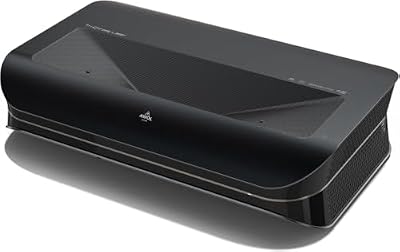
AWOL VISION LTV-3000 Pro 4K 3D Ultra Short Throw Triple Laser Projector, Dolby Vision & Atmos, HDR10+, 150" UST Laser TV Home Theater Projector
Included for 'Best Laser Projector Deals' because the listing specifies Dolby Vision & Atmos and HDR10+, details this guide uses to compare options.
View on AmazonThe LTV-3000 Pro is the premium answer, and it is a fundamentally different kind of product from everything else here. It is an ultra short throw triple-laser 4K projector with Dolby Vision, Dolby Atmos support and HDR10+ that produces a 150-inch image from a cabinet position against the wall. It suits van lifers and tiny-home owners who can dedicate a wall, who want the projector to live in one place rather than come out of a drawer, and who accept that this is a mains-powered, high-draw appliance.
Key specs
- Resolution: 4K UHD
- Light engine: triple laser
- Brightness: ultra short throw class, in the region of 3000 lumens
- Throw: ultra short throw, roughly 0.25:1, so a 100-inch image needs about 20 to 24 inches of clearance
- HDR: Dolby Vision and HDR10+ support
- Audio: Dolby Atmos compatible, designed to pair with an external sound system
- 3D: supported
- Power: roughly 250 to 320W class
- Best screen sizes: 100 to 150 inches, with an ambient light rejecting screen strongly recommended
The ultra short throw geometry is the whole point. A standard throw projector needs eight to eleven feet of depth for a 100-inch picture, which in a van means the projector sits between you and the screen. An ultra short throw unit at roughly 0.25:1 needs only about two feet, because the math is throw ratio multiplied by screen width: a 100-inch 16:9 image is about 87 inches wide, and 0.25 times 87 is roughly 22 inches. That means the projector can sit on a cabinet, a shelf or a low console directly under the wall and never obstruct the view. In a compact interior, that is transformative.
Dolby Vision and HDR10+ support matter more here than on a small-screen projector because the image is large and the tone mapping has more room to work. Triple-laser output also keeps colour volume high at 120 inches and beyond, where single-laser phosphor designs start to lose saturation. The 3D support is a niche bonus, but for anyone with a library of 3D discs it is a feature almost nothing else in this list offers.
The practical requirement is a screen. Ultra short throw projectors are unforgiving about surface flatness because they project at a steep angle, and any wall ripple shows as distortion. An ambient light rejecting screen built for ultra short throw geometry is effectively mandatory, and it adds cost and a fixed installation to an already premium purchase. Power draw in the 250 to 320W range also means this is a generator-or-shore-power appliance in most builds.
Pros
- 100-inch picture from about two feet of clearance
- Triple-laser 4K with Dolby Vision and HDR10+
- Scales to 150 inches, far beyond any standard-throw unit in a van
- Never blocks the viewing position
- 3D support
Cons
- Premium price tier plus the cost of a suitable screen
- Highest power draw in this roundup
- Requires a flat, dedicated wall and a fixed installation
- Bulky compared with portable and lifestyle models
Compared with the nearest alternative: the XGIMI HORIZON 20 is the other 4K triple-laser flagship here, and it is far easier to place, lighter, cheaper and less demanding on power. The HORIZON 20 wins for a van that reconfigures daily. The LTV-3000 Pro wins the moment you have a permanent wall, because two feet of depth instead of ten changes what a small interior can do, and because 150 inches is simply not reachable from a standard throw projector in a twenty-foot space. Against the Optoma GT2400HDR, the comparison is short throw versus ultra short throw: the GT2400HDR needs around four feet and delivers 1080p, while the LTV-3000 Pro needs two and delivers 4K.
6. Optoma UHZ36 – Best for a Fixed 4K Home Theater Install

Optoma UHZ36 4K UHD Laser HDR Home Theater Projector - Black
Included for 'Best Laser Projector Deals' because the listing specifies Black, details this guide uses to compare options.
View on AmazonThe UHZ36 is the traditional home theater answer: a 4K UHD laser projector with HDR support in a black chassis, designed to be mounted and left alone. It suits van lifers who have converted a garage, a toy hauler bay or a fixed wall into a viewing room and who want a genuine 4K cinema image without the ultra short throw price or the ultra short throw installation. It is also the pick for anyone who wants to add a proper screen and a sound system and treat the setup as permanent.
Key specs
- Resolution: 4K UHD
- Brightness: bright 4K laser class, broadly in the 3000 to 4000 lumen range
- Light source: laser, no lamp replacement
- HDR: HDR10 support
- Throw: standard throw with zoom; a 100-inch picture lands roughly 9 to 13 feet back
- Setup: manual zoom, focus and keystone, suited to a permanent mount
- Power: roughly 200 to 260W class
- Best screen sizes: 100 to 150 inches on a fixed screen
The strength here is a no-compromise 4K image at a mid-range tier price. Optoma’s UHZ line is built around 4K DLP with a laser light engine, which means no lamps, no filter cleaning on the same schedule as lamp-based units, and stable colour over thousands of hours. Brightness in the 3000 to 4000 lumen class is enough for a 120-inch screen with controlled lighting, and it gives you real margin if the room is not perfectly dark.
Because the UHZ36 is a mount-and-forget design, the manual zoom and focus are not a drawback. Once it is aligned on a ceiling or shelf bracket, you adjust it once. The trade-off is that it is not a projector you move between the van and a camp table; it wants a fixed position, a fixed screen and a cable run. That makes it a poor fit for a rig that reconfigures every day, and a very good fit for a rig with a dedicated media wall.
Power draw in the 200 to 260W class means a two-hour film costs roughly 400 to 520 watt-hours. That is manageable with a 200Ah lithium bank and daily solar, but it is not a load to run casually on a 100Ah system. Fan noise sits in the moderate range for a bright 4K laser engine, and the physical distance between a ceiling mount and your seating position usually makes it a non-issue in a converted bay.
Pros
- True 4K UHD with HDR support at a mid-range tier
- Bright laser engine with no lamp consumables
- Zoom lens gives flexibility in mounting distance
- Suited to a permanent screen and sound system
- Black chassis disappears in a dark viewing room
Cons
- Manual setup is slow if you move it often
- Standard throw needs nine feet or more of depth
- No built-in smart platform or battery
- Higher power draw than any lifestyle or portable model
Compared with the nearest alternative: the Epson Pro EX11000 is the other fixed-install option in a similar price band, and it uses 3-chip 3LCD with wireless connectivity at 1080p. The Epson’s 3LCD engine avoids rainbow artefacts that some viewers notice on single-chip DLP, and its wireless features make it better for presenting from multiple devices. The Optoma UHZ36 counters with 4K resolution, which is the more important difference for film viewing on a large screen. If your use is movies, take the Optoma. If it is presenting, take the Epson. Against the ViewSonic LS740HD, the UHZ36 trades brightness for resolution, and for a dark viewing room that is the right trade.
7. Epson Pro EX11000 – Best for Wireless Presenting and Multi-Device Use

Epson Pro EX11000 3-Chip 3LCD Full HD 1080p Wireless Laser Projector
Included for 'Best Laser Projector Deals' as a relevant option in this category; details come from the product listing.
View on AmazonThe Pro EX11000 is the odd one out in a home cinema roundup, and that is precisely why it earns a place. It is a 3-chip 3LCD Full HD 1080p wireless laser projector built for business and education use, which means it prioritises connection flexibility, colour consistency and reliability over cinematic black levels. It suits van lifers who work from the road, run workshops or classes, present to clients in a rig, or who simply want to mirror a laptop, tablet and phone without cable swapping.
Key specs
- Resolution: 1080p Full HD
- Imaging: 3-chip 3LCD, which produces colour and white light simultaneously
- Brightness: bright 3LCD class, broadly in the 4000 lumen and above range
- Light source: laser, no lamp replacement
- Connectivity: wireless projection plus standard HDMI and USB inputs
- Throw: standard throw; a 100-inch picture lands roughly 9 to 12 feet back
- Power: roughly 250 to 330W class
- Best screen sizes: 80 to 150 inches, with 100 inches a comfortable default
The 3LCD engine is the technical differentiator. Three separate LCD panels handle red, green and blue, so the projector produces full colour brightness rather than cycling colours through a single chip. The visible result is smooth, accurate colour without the colour-wheel artefacts that some viewers are sensitive to on single-chip DLP designs, plus consistent white output that makes text and spreadsheets look clean. For presenting documents rather than watching films, that is a meaningful advantage.
Wireless projection is the other reason this model exists. In a van, the ability to push a screen from a laptop, tablet or phone without running a cable across the floor is genuinely useful, especially for anyone who works remotely and occasionally needs